In the next chapter of my journey, which you can explore in detail through the links below:
- Article 1 : How to reverse engineering an Android App and Its API — Example with an app from the US government
- Article 2 : AWS Secrets: The Guide to Bypassing CORS for Developers
- Article 3 : AWS Blacklisted? Stealth Tactics for Lambda Functions Outside a VPC
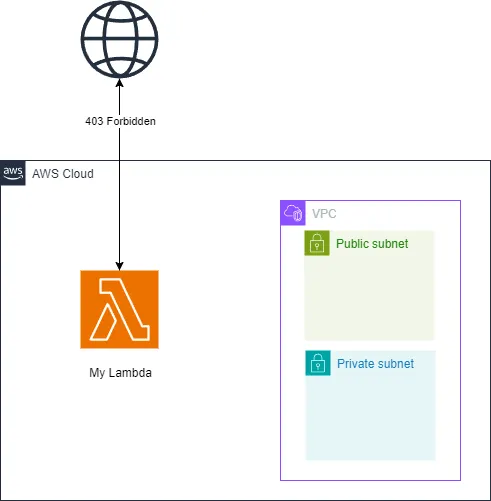
In a recent side project, I encountered a challenge: I have an AWS Lambda function that calls an API I don’t own, and after a certain number of requests, I get blocked by their anti-bot system, resulting in the dreaded 403 error.
In this article, I will discuss a Lambda function** outside of a VPC**. Managing the IP address of a Lambda function within a VPC would be much easier.
Before I delve into my solution, let’s revisit how AWS Lambda functions operate.
AWS Lambda and Firecracker MicroVM
AWS Lambda is powered by Firecracker, a virtualization technology crafted by Amazon using Rust. This technology serves as the core engine for running Lambda functions, delivering a platform that is both lightweight and sturdy for code execution. Firecracker’s innovative architecture provides the security and isolation typical of virtual machines, yet it achieves the rapid performance and resource efficiency usually associated with containers.
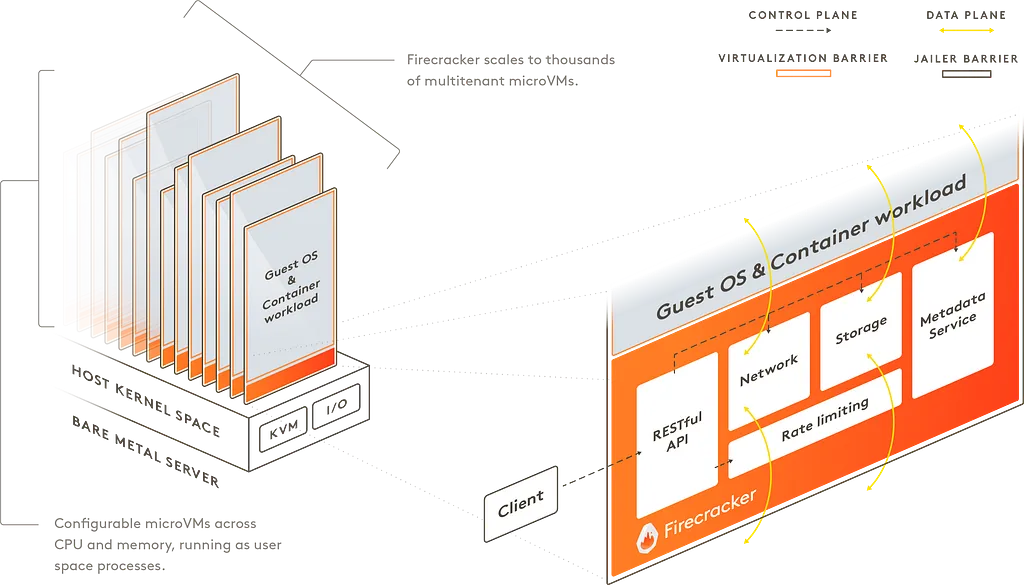
https://firecracker-microvm.github.io/
See more on Firecracker here : https://firecracker-microvm.github.io/
AWS Lambda and containers
A Lambda function is executed within a container. For a deeper understanding of the lifecycle of this container, you can visit the AWS documentation: AWS Lambda Execution Environments
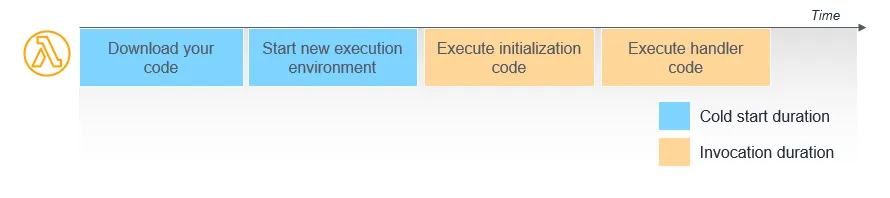
https://docs.aws.amazon.com/lambda/latest/operatorguide/execution-environments.html
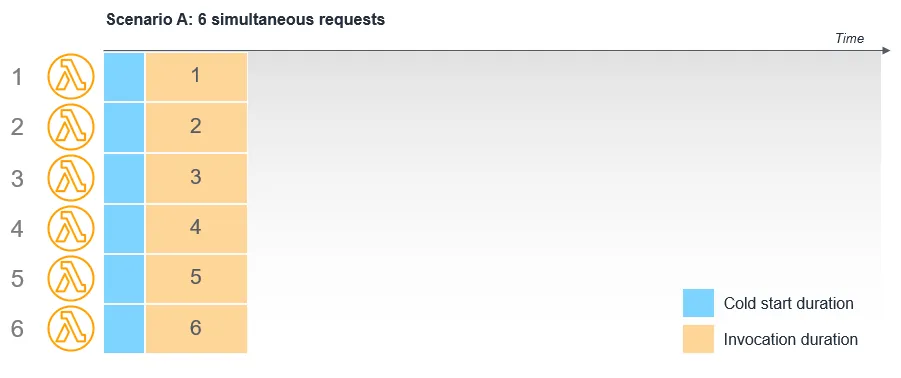
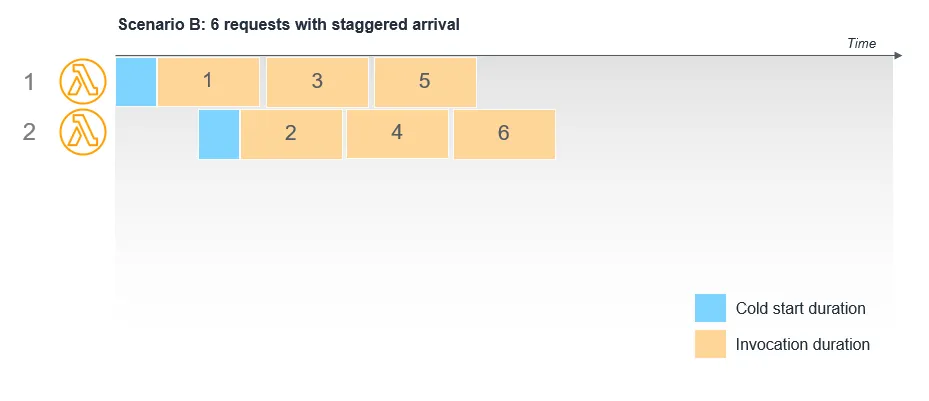
When multiple invocations occur in parallel, AWS simply launches multiple containers :
When updating a Lambda function, here’s what happens:
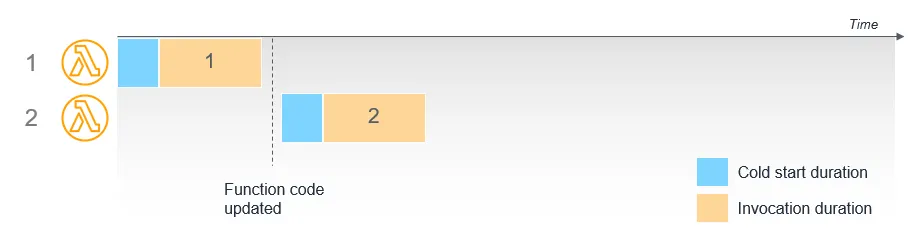
The entire solution to the problem I faced lies in updating the AWS Lambda function to trigger the launch of a new container, thereby acquiring a new IP address. However, updating the code every time this is needed is not practical as it would become cumbersome to maintain. Instead, my approach is more focused on utilizing environment variables. Here’s a simple Python example to illustrate this method:
import os
import string
import random

import boto3
from aws_lambda_powertools import Logger

client = boto3.client("lambda")
logger = Logger()

def change_ip_address():
    try:
        lambda_name = os.environ["AWS_LAMBDA_FUNCTION_NAME"]
        response = client.get_function_configuration(FunctionName=lambda_name)
        env_var = response["Environment"]["Variables"]
        letters = string.ascii_lowercase
        env_var["RANDOM"] = "".join(random.choice(letters) for i in range(5))
        response = client.update_function_configuration(FunctionName=lambda_name, Environment={"Variables": env_var})
        logger.info(response)
        logger.info("Lambda config changed, we should have a new ip at the next launch")
    except Exception as e:
        logger.warning("Not possible to change ip address due to ",e)
And if you want to test your actual IP you can use :
current_ip = requests.get("http://checkip.amazonaws.com").text.rstrip()
logger.info(f"Current ip : {current_ip}")
The downside is that we experience a cold start with each execution, which can significantly slow down our execution times.
AWS Lambda Strategies: Clever Ways to Rotate IPs and Avoid Blockades was originally published in AWS Tip on Medium, where people are continuing the conversation by highlighting and responding to this story.